
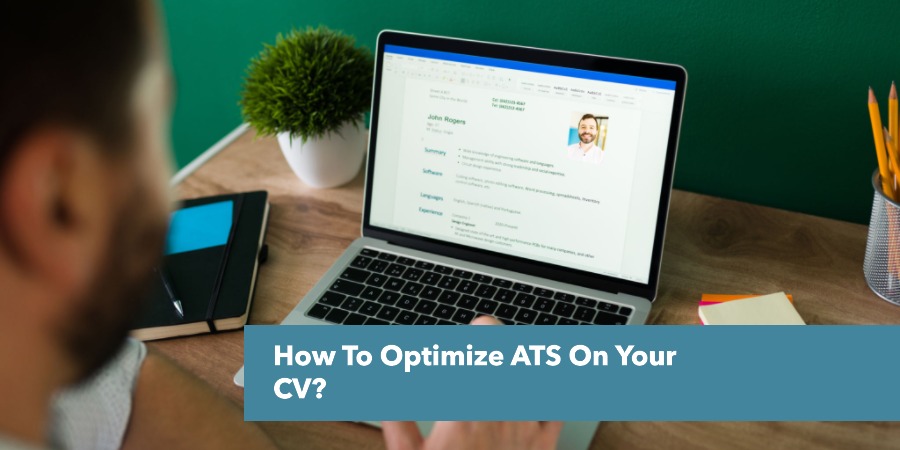
How To Optimize ATS On Your CV?
When applying for jobs, your CV often goes through an Applicant Tracking System (ATS) before it even reaches a recruiter. These systems are designed to scan, sort, and rank resumes based on relevance to the job description. To ensure your CV makes it through, you need to optimize it for ATS. Here’s how you can do it effectively:
Use Keywords Strategically: Carefully read the job description and incorporate relevant keywords naturally into your CV. These might include skills, certifications, or job-specific terminology. For example, if the job requires “project management” and “Agile methodology,” make sure those terms appear in your CV.
Stick to Simple Formatting: Avoid using complex designs, graphics, or unusual fonts that ATS might not recognize. Stick to standard fonts like Arial or Times New Roman, and use clear headings (e.g., “Work Experience,” “Education”).
Save Your CV in the Right Format: ATS systems often prefer .docx or PDF formats. However, some systems struggle with PDFs, so check the job posting for any specific instructions.
Avoid Fancy Elements: Tables, columns, and graphics can confuse ATS software. Instead, use bullet points and a straightforward structure to ensure your information is easy to parse.
Include Contact Information: Place your name, email, and phone number at the top of your CV in plain text. This ensures the ATS can easily capture your contact details.
Tailor Your CV for Each Job: A one-size-fits-all approach doesn’t work with ATS. Customize your CV for each application to match the specific role and its requirements.
Focus on Relevant Experience: Highlight your most relevant experiences and achievements. Use quantifiable results where possible (e.g., “Increased sales by 20% in six months”).
Test Your CV: You can use free ATS-friendly CV checkers online to see how well your CV performs. This gives you a chance to tweak and improve it before submitting.
By following these steps, you can improve your chances of passing the ATS and landing that all-important interview. Remember, the goal is to make it easy for the system and the recruiter to see why you’re the right fit for the job.
How Do I Know If My CV Is ATS-Friendly?
To ensure your CV is ATS-friendly, you need to check if it meets the standards of an Applicant Tracking System (ATS), which scans and ranks resumes based on job-specific criteria. Here’s how you can tell if your CV is optimized for ATS:
Simple Formatting: ATS systems struggle with complex designs. Check if your CV uses a clean layout with standard fonts (like Arial, Calibri, or Times New Roman), clear headings, and no graphics, tables, or columns.
Correct File Format: Save your CV in a format that ATS can read, such as .docx or a text-based PDF. Avoid image-based PDFs or uncommon file types.
Keyword Optimization: Look at the job description and compare it to your CV. Are the key skills, qualifications, and job-specific terms included naturally in your content? For example, if the job requires “data analysis” or “team leadership,” those terms should appear in your CV.
Consistent Structure: Ensure your CV follows a logical structure with clearly labeled sections like “Work Experience,” “Education,” and “Skills.” This helps the ATS parse your information correctly.
Avoid Special Characters: Replace symbols, images, and fancy formatting with plain text. For instance, instead of using an icon for a phone number, simply write “Phone: 123-456-7890.”
Bullet Points Over Paragraphs: Use bullet points to list achievements and responsibilities. Long paragraphs can be harder for ATS to interpret.
Check Contact Information: Make sure your name, email, and phone number are in plain text at the top of your CV. Some ATS systems might miss contact details embedded in headers or footers.
Test Your CV: Use free ATS-friendly CV checkers online to analyze your document. These tools can highlight issues and suggest improvements, giving you a clearer picture of how your CV performs in an ATS.
By ensuring your CV meets these criteria, you increase the chances of it passing through ATS software and reaching the recruiter. Taking the time to check and optimize your CV can make a significant difference in your job search.
What are the Benefits of Using a Word Document over a PDF for an ATS Resume?
Using a Word document for your ATS resume offers several advantages over a PDF format. Here are the key benefits:
Benefits of Using a Word Document for ATS Resumes
-
Enhanced ATS Compatibility:
Word documents are generally more compatible with Applicant Tracking Systems (ATS). Most ATS can easily parse and read information from .doc and .docx files, allowing for seamless analysis of your resume’s content, including keywords and skills relevant to the job.
-
Easy Editability:
One of the significant advantages of Word documents is their ease of editing. You can quickly make updates, add new experiences, or customize your resume for different job applications without needing specialized software. This feature is particularly useful when seeking feedback from friends or career advisors.
-
Smaller File Size:
Word documents typically have a smaller file size compared to PDFs, which can be beneficial when there are restrictions on file uploads during online applications. This can help ensure that your resume is submitted successfully without issues related to file size limits.
-
Collaboration Friendly:
If you need to collaborate with others on your resume, Word documents allow for easy sharing and editing. You can send the document to colleagues or mentors who can provide direct feedback and suggestions, making it easier to refine your application.
-
Formatting Simplicity:
While PDFs preserve formatting across devices, Word documents often have simpler formatting that is easier for ATS to read. Avoiding complex layouts reduces the risk of misinterpretation by the software.
In summary, while both formats have their merits, using a Word document for your ATS resume can enhance compatibility, facilitate collaboration, and streamline the editing process, making it a practical choice for job applications.